LinkedIn Profile Optimization: The 12-Point Checklist That Turns Visitors Into Conversations
A section-by-section LinkedIn profile checklist with exact specs and character limits, a 10-minute audit scorecard, and the part most guides skip: getting the right people to visit, then turning visits into conversations.

Most LinkedIn profiles fail in one of two ways. Either nobody finds them, because the headline is just a job title and the skills don't match what buyers or recruiters search for. Or people find them and leave, because the About section reads like a CV and nothing tells the visitor what to do next.
Profile optimization fixes both. It means rewriting each section so your profile shows up for the searches that matter and converts the people who land on it into followers, connections, clients or interviews.
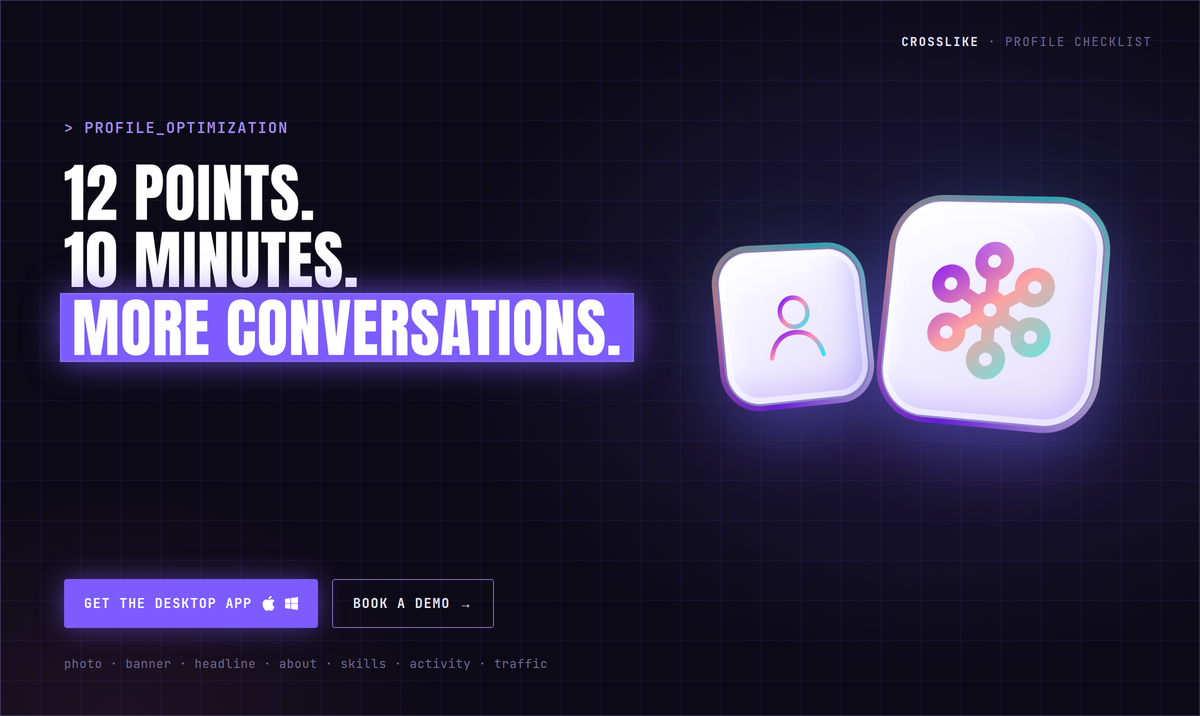
This guide gives you a 12-point checklist in the order sections appear on your profile, with specs, targets and the mistakes to avoid, plus a 10-minute audit scorecard. The twelfth point is the one most checklists leave out: a profile only converts the traffic it gets. That's where CrossLike comes in.
Where to start if you only have 20 minutes
If you do nothing else this week, do these four things:
- Rewrite your headline so the first 60–70 characters contain a keyword and a result.
- Upload a sharp photo where your face fills most of the frame.
- Add a banner with one clear message.
- Claim a custom URL like linkedin.com/in/first-last.
They take under 20 minutes together and change how you look everywhere your name appears: in search, in comments, in connection requests.
The 12-point LinkedIn profile checklist
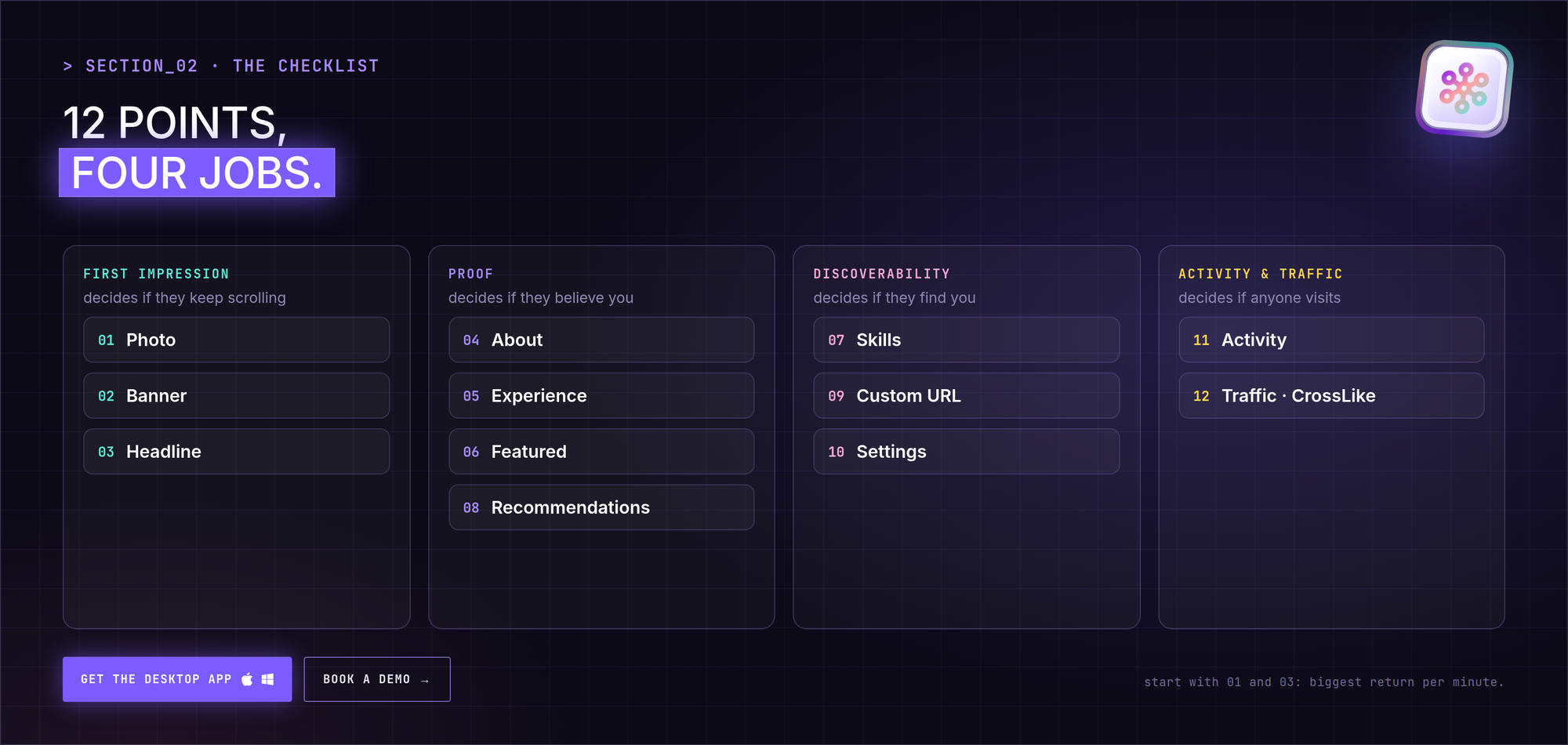
1. Profile photo
| Element | Target | Common mistake |
|---|---|---|
| Size | At least 400 × 400 px, under 8 MB | A low-res crop from a group photo |
| Framing | Face fills roughly 60% of the frame | Full-body shot where the face is tiny |
| Background | Plain or softly blurred | Busy scene competing with you |
| Recency | Taken in the last two years | A photo people won't recognize in a meeting |
Daylight, eye level, a plain wall. A phone and ten minutes beat a dim selfie.
2. Banner
| Element | Target | Common mistake |
|---|---|---|
| Size | 1584 × 396 px (4:1) | A stretched square logo |
| Safe zone | Nothing important bottom-left | Text hidden behind your profile photo |
| Message | One clear line about your value | A generic stock skyline |
Need ideas? See our 9 LinkedIn banner patterns.
3. Headline
| Element | Target | Common mistake |
|---|---|---|
| Visible length | Key message in the first 60–70 characters | Job title with no keyword |
| Full length | Up to 220 characters | A string of buzzwords with no verb or number |
| Formula | Role keyword + audience or result | An internal title nobody searches for |
Your headline travels with every comment you leave, so it's also your ad in other people's threads. More in our LinkedIn headline examples.
4. About section
| Element | Target | Common mistake |
|---|---|---|
| Length | 300–500 words, within the 2,600-character limit | A wall of text |
| Structure | Value proposition → 2–3 proof points → call to action | Opening with "passionate professional" |
| Hook | Your strongest line before "see more" | The key message buried in paragraph three |
Templates and examples: how to write a LinkedIn summary.
5. Experience
| Element | Target | Common mistake |
|---|---|---|
| Bullets | 3–5 per recent role, each with a number | Pasted job descriptions |
| Format | Action verb + outcome + metric | "Responsible for…" |
| Media | Decks, links, case studies attached | Empty media fields |
Give your current role the most detail. Older roles can shrink to one line unless they support your positioning today.
6. Featured
| Element | Target | Common mistake |
|---|---|---|
| Volume | 3–5 items, refreshed each quarter | Empty, or pinned posts from two years ago |
| Mix | A top post + an external proof point + a case study or document | Only self-promotion |
Unpin anything that no longer represents your best work.
7. Skills
| Element | Target | Common mistake |
|---|---|---|
| Count | Well beyond the handful LinkedIn suggests at signup | Leaving the defaults |
| Relevance | Same keywords as your headline and About | Generic skills unrelated to your role |
| Order | Most important skills at the top | Your core skill hidden in the full list |
| Endorsements | A few on your top skills | Zero endorsements where you want to be found |
Skills feed LinkedIn's search and recommendations. Aligning them with your headline gives your keywords more weight.
8. Recommendations
| Element | Target | Common mistake |
|---|---|---|
| Number | 3–5 recent, specific ones | Zero, or ten vague ones from years ago |
| Content | A named project the writer saw firsthand | "Great to work with!" |
| Sources | Manager + peer + client | Only people who reported to you |
When you ask, name the project. It makes the recommendation easier to write and more useful to read.
9. Custom URL
Change the default string of characters to linkedin.com/in/first-last under Edit public profile & URL. It takes a minute, and it's what goes on your email signature, CV and QR code.
10. Settings
| Setting | Turn on when | Leave off when |
|---|---|---|
| Follow as primary button | You post weekly and want audience growth | Your profile is for 1:1 networking |
| Open to Work (public) | You're job hunting and want recruiters to see it | You're employed and don't want the badge |
| Open to Work (recruiters only) | You want recruiter reach without a public badge | You're not looking |
| Public profile visibility | Always, for headline, current role and About | — |
11. Activity
A strong profile with an empty activity feed looks abandoned. Your recent posts and comments appear right below your About section.
| Element | Target | Common mistake |
|---|---|---|
| Posting | 1–3 posts a week, on a steady rhythm | Fifteen posts in one week, then silence |
| Commenting | Several thoughtful comments a week | Only ever posting, never engaging |
Comments count as activity. You don't need to publish daily to look active.
12. Traffic: getting the right people to visit
This is the point most checklists skip. Every section above improves conversion. None of them creates visits. On LinkedIn, most profile visits come from two places: your posts reaching people outside your network, and your comments appearing in threads your buyers already read.
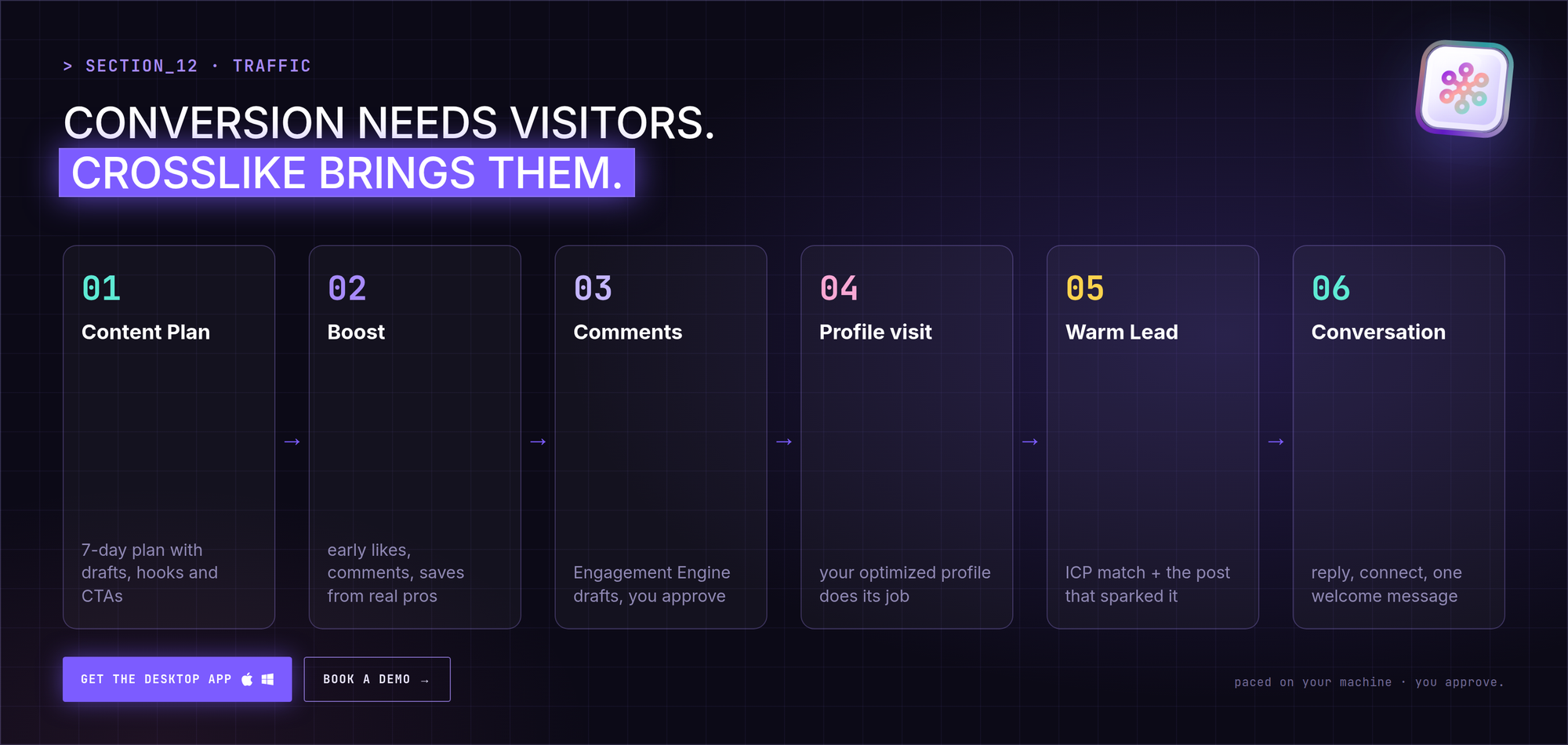
That's the loop CrossLike runs from a desktop app on your own machine:
- Content Plan gives you a 7-day plan with ready-to-edit drafts, hooks and calls to action, so your activity section never goes quiet.
- Boost gives strong posts early likes, comments, saves and DM shares from real professionals in the CrossLike community. You see the credit cost before you confirm.
- Engagement Engine drafts comments on posts from the voices your buyers follow. You approve each one by default, and your headline travels with it.
- Reply Center drafts replies to comments on your posts so threads stay active.
- Warm Leads shows which engagers match your ideal customer profile, and which post caught their interest.
An optimized profile plus steady, relevant activity is what turns views into conversations.
Before and after: a headline and About rewrite
Here's how one profile improves over three passes (illustrative example):
| Pass | Headline | About opening |
|---|---|---|
| 1 · Default | "Account Executive at Northwind" | "I am a results-driven sales professional with a passion for…" |
| 2 · Keyword added | "B2B SaaS Account Executive | Mid-market" | "I sell B2B software to mid-market teams." |
| 3 · Optimized | "B2B SaaS AE helping ops leaders replace spreadsheets | 140% of quota in 2025" | "Ops leaders come to me when their spreadsheets break at 50 people. Here's how I help, what it's done for teams like yours, and how to reach me." |
Pass 3 has a keyword, an audience, a result and a reason to keep reading. It takes about 15 minutes of rewriting.
The 10-minute profile audit scorecard
Give yourself one point for each item you meet:
- Photo: 400 × 400 px or more, face filling most of the frame.
- Banner: 1584 × 396 px, one message, bottom-left clear.
- Headline: keyword and result in the first 60–70 characters.
- About: 300–500 words with value, proof and a call to action.
- Experience: 3–5 bullets with numbers on your current role.
- Featured: 3–5 items refreshed this quarter.
- Skills: aligned with your headline, most important at the top.
- Recommendations: 3–5 recent and specific.
- Custom URL: first-last format.
- Settings: follow, open-to-work and visibility chosen on purpose.
- Activity: at least one post and a few comments in the last 7 days.
- Traffic: a weekly routine for getting your posts and comments in front of the right people.
10–12 points: you're in good shape. Under 7: start with the headline and photo, which give the biggest return for the time.
Common profile mistakes
- A headline that only repeats your job title. Add a keyword and a result.
- No call to action in your About. Tell people what to do next.
- Low-resolution images. They signal carelessness before anyone reads a word.
- Skills that don't match your headline. Your keywords get diluted.
- A dead activity feed. Even a great profile looks inactive without it.
- Optimizing once and forgetting. Roles, results and keywords change, so review each quarter.
- Optimizing without a traffic plan. Conversion without visitors is a nicely designed empty shop.
FAQ
How do I fully optimize my LinkedIn profile?
Work through each section in order: photo, banner, headline, About, experience, featured, skills, recommendations, custom URL, settings and activity. Then set up a routine that brings the right visitors to your profile. The first four sections decide whether visitors keep scrolling.
What is the 4-1-1 rule on LinkedIn?
A content-marketing rule of thumb: for every six things you share, four are useful content from others (with your take), one is your own original content, and one is a soft promotion. It keeps your activity feed from reading like a sales pitch.
What does LinkedIn profile optimization mean?
Rewriting your profile so it shows up in searches by the people you want to reach and turns their visits into follows, connections, clients or interviews.
Can ChatGPT optimize my LinkedIn profile?
It can draft headline and About copy if you give it your role, results and keywords. It can't check your photo quality, your banner's safe zone or whether your activity is consistent. Use it for drafts, then run the scorecard above.
How does CrossLike help with profile optimization?
CrossLike doesn't edit your profile. It brings the right people to it and helps you follow up: a weekly Content Plan for consistent activity, Boost for early momentum on strong posts, the Engagement Engine for comments in relevant threads, the Reply Center for replies, and Warm Leads to see which visitors match your ideal customer profile.