OmniSignal Is Now an MCP Server: Your AI Can Run Your Entire Content Operation
OmniSignal MCP gives ChatGPT and Claude live market data from 50+ sources so teams can build sourced GTM strategy, competitor research, and content plans inside the chat they already use.

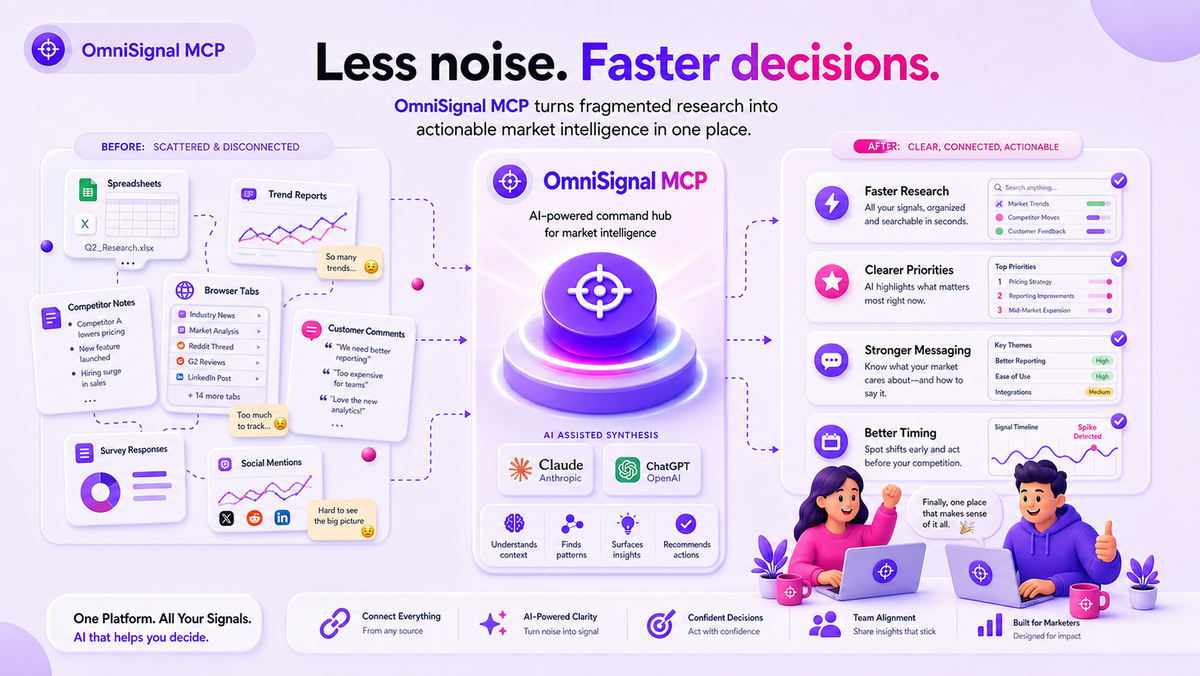
Big models are good at writing. They're bad at knowing.Ask ChatGPT or Claude for a go-to-market strategy and you'll get fluent, confident, well-structured advice – built on a training cut-off from last year's internet. It doesn't know your competitor moved Starter to $0 last Tuesday. It doesn't know "onboarding" complaints about your rival are up 41% on G2 this quarter. It doesn't know your category's search volume jumped 18% month over month.Today we're fixing that where you actually work: OmniSignal is now available as an MCP server.
What is the OmniSignal MCP?
MCP (Model Context Protocol) is the standard that lets AI assistants call external tools and data sources directly. With OmniSignal connected, your Claude or ChatGPT doesn't just talk about your market – it can look.From the chat you already work in, your AI can now:
- Onboard your brand — set up your goals, audience, positioning, and competitors right from the conversation (onboarding tools are free).
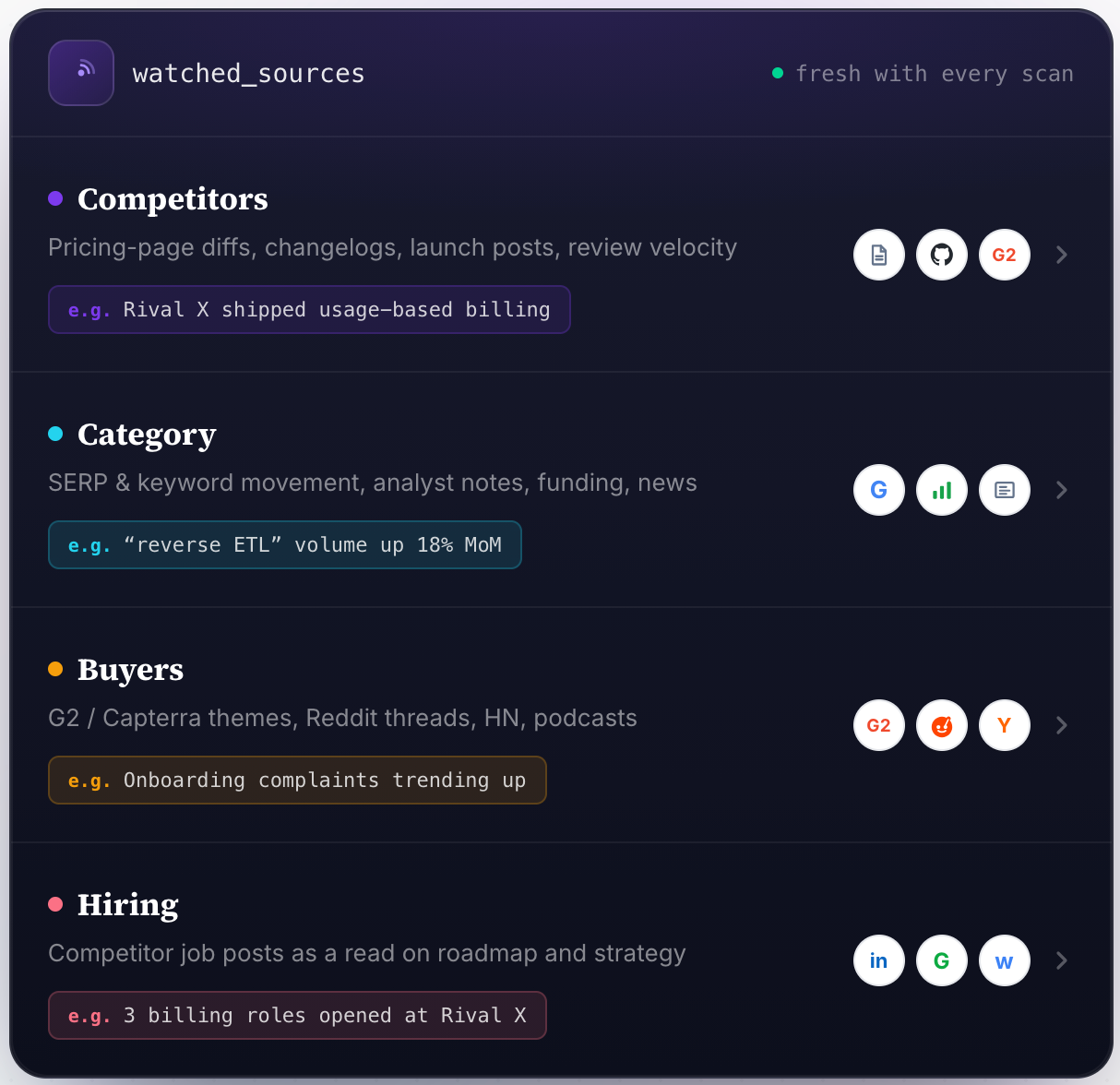
- Scan live signals from 50+ sources — competitor pricing pages and changelogs, G2/Capterra reviews, SERP and keyword trends, Reddit and HN threads, funding news, even competitor job posts as a read on their roadmap.
- Generate a sourced 6-stage strategy — SWOT, themes, competitor gaps – with every claim carrying a source URL and timestamp.
- Draft a 30-day content calendar — hooks, CTAs, carousels, video scripts – grounded in what's actually moving in your market this week.
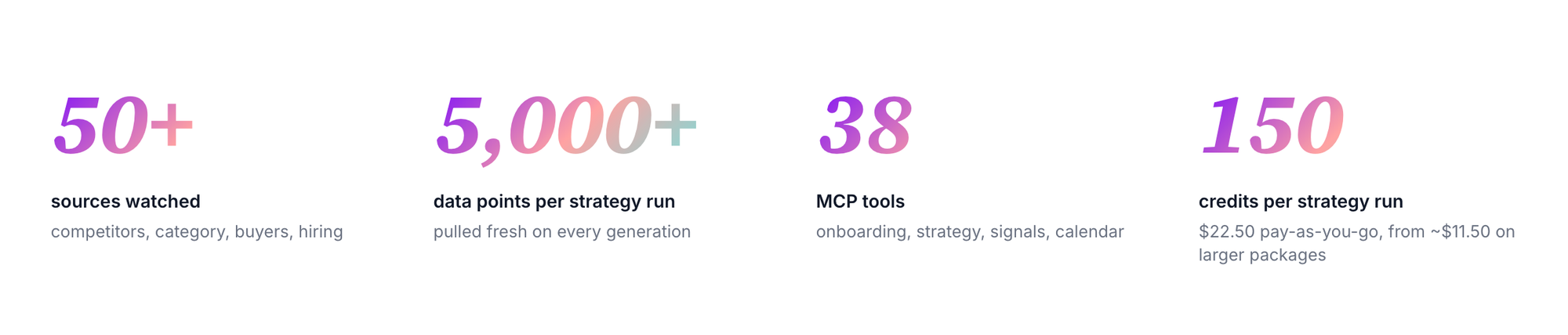
That's 38 MCP tools, covering the whole content workflow. Your AI already knows how to call them.
How it works: three steps, two minutes
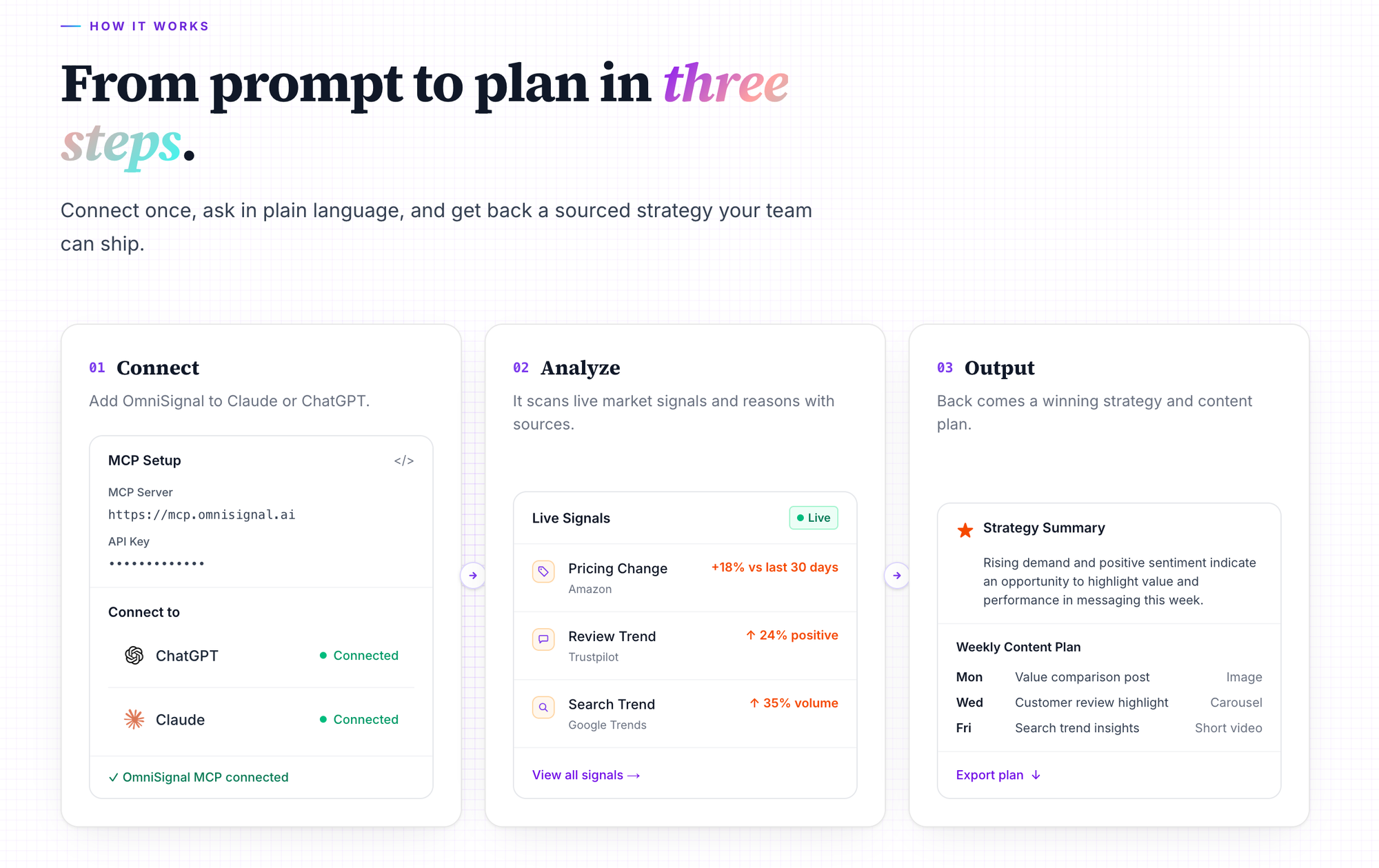
- Connect. Add OmniSignal to your MCP config – Claude Desktop, Claude Code, Cursor, or ChatGPT via a developer-mode MCP connector. Your API key lives in the dashboard under Profile → MCP / API access.
- Point it at your market. Tell your agent about your brand and competitors in plain language. OmniSignal starts watching and citing from day one.
- Just ask. Your AI calls
signals_list,strategy_get_latest, andcalendar_get_weekon its own – inside the same chats where you draft positioning, briefs, and launch copy.
No new tab. No new tool to learn. No stale exports.
What a real workflow looks like
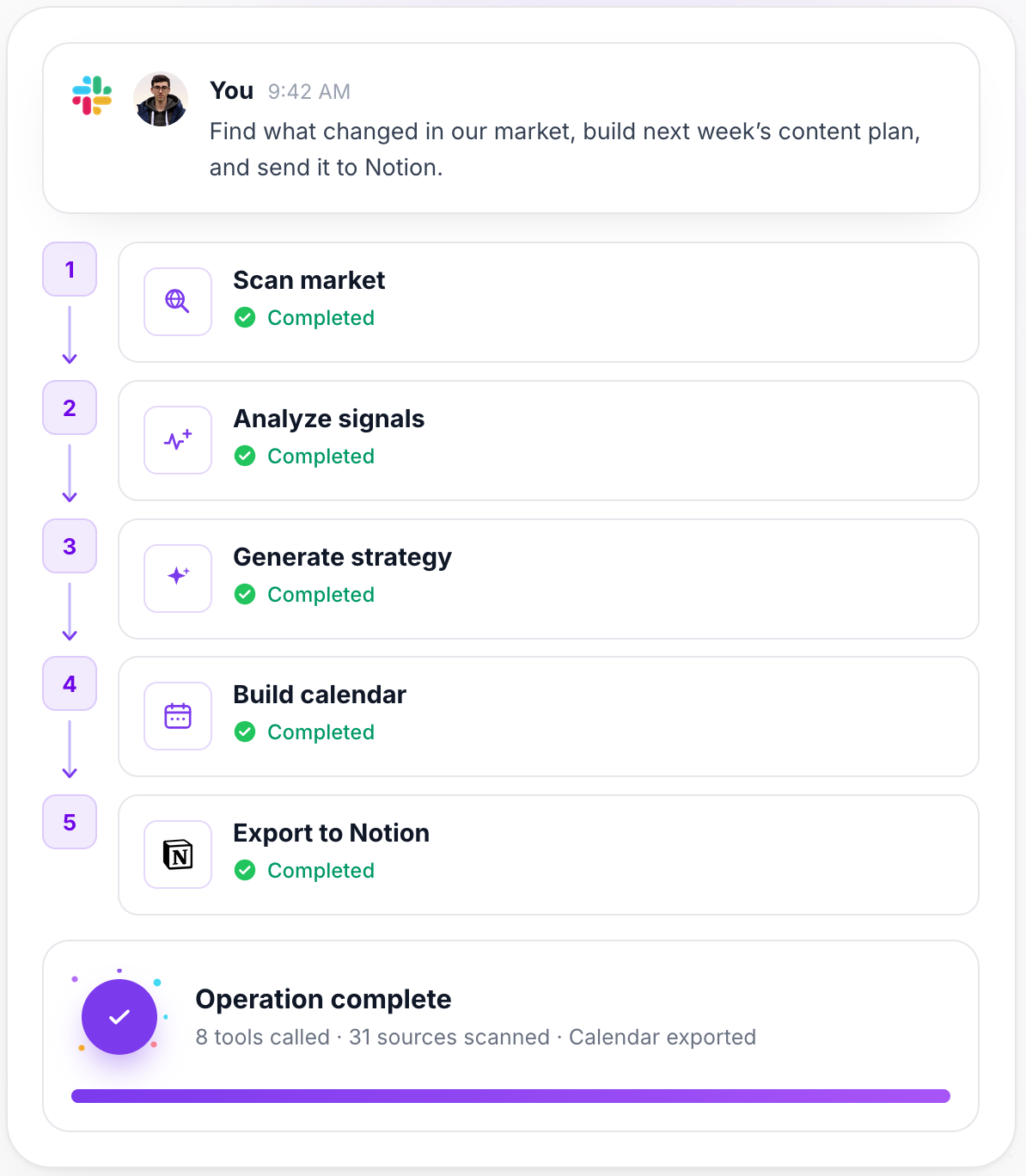
One message: "Find what changed in our market, build next week's content plan, and send it to Notion."Behind the scenes, your AI runs a 5-step operation — scan market, analyze signals, generate strategy, build calendar, export to Notion – calling 8 tools and scanning 31 sources along the way. What comes back is a weekly brief your GTM team will actually read, plus a calendar of drafted posts like:
- "Rival X just made Starter free. Here's the bill you'll get later." (LinkedIn carousel)
- "We read 128 G2 reviews so you don't have to. The onboarding pattern is wild." (X thread)
- "POV: your competitor's pricing page changed 6 days ago and nobody told sales." (video script)
Why this matters
The difference between "AI alone" and "AI + OmniSignal MCP" is the difference between generic best-practice advice and a sourced plan your team can ship:
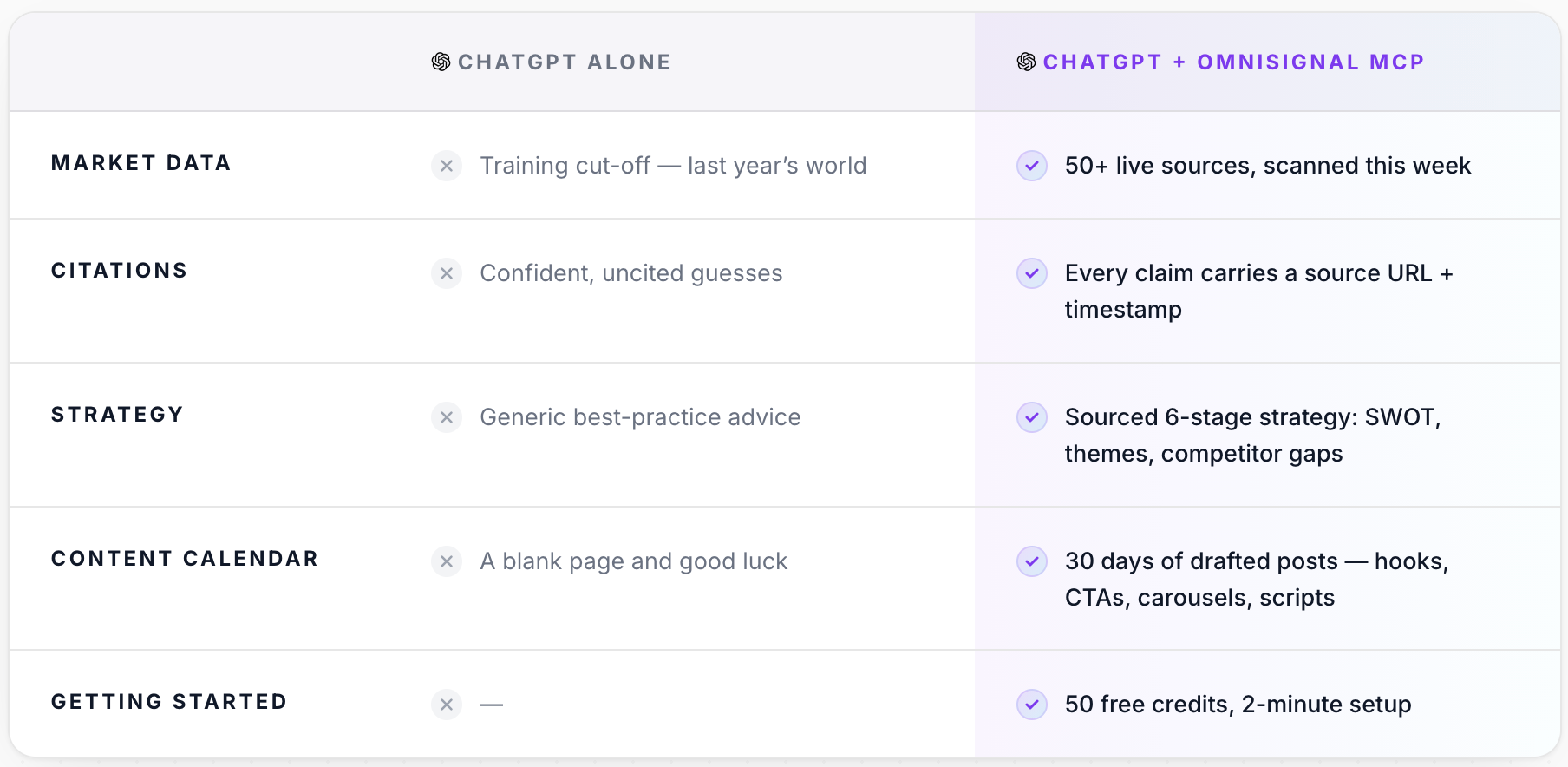
Same model. Same chat. The only difference is the tools it can call.
Every account gets 50 free credits and full access to all 38 tools. A full strategy run costs 150 credits (~$22.50 pay-as-you-go, less on packages), and most operators land on a weekly rhythm of one strategy run plus one signals scan.
👉 Connect your AI at www.omnisignal.ai/mcp — setup takes about two minutes, and your first "what changed in our market" answer will tell you whether last year's internet was ever good enough.